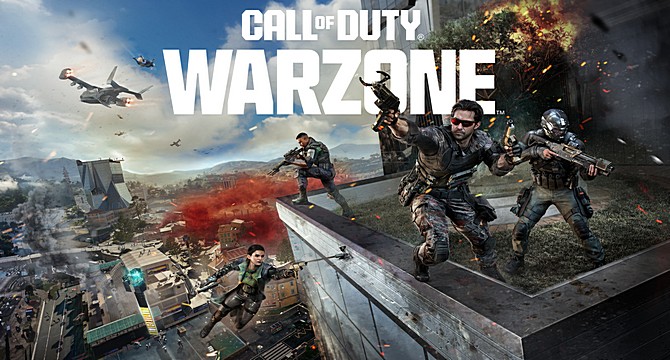
Call of Duty Black Ops Royale is a fast-paced Blackout inspired competitive battle royale shooter (like Warzone) expected to push modern PC hardware with large-scale maps, dynamic weather systems, and high player counts. With advanced lighting, destructible environments, and intensive multiplayer action, many players are wondering: can my PC run Black Ops Royale smoothly?
Use our Can You Run It tool to instantly analyze your hardware and compare it against the recommended system requirements.
Below, you’ll find:
- Performance benchmarks for popular hardware
- Resolution-based FPS estimates
- Optimization strategies for competitive gameplay
You can also try our FPS Checker to calculate expected frame rates for your specific build.
Quick Performance Snapshot
Example Setup: Ryzen 5 7600 + RTX 4060
- 1080p / High Settings: Very Smooth (~85 FPS), ideal for competitive play
- 1440p / High Settings: Strong Performance (~72 FPS), minor tuning recommended
- 4K / Ultra Settings: Demanding (~48 FPS), reduce ray tracing and shadow quality for stability
Note: Results vary depending on RAM configuration, storage type, driver version, and in-game settings.
Popular Hardware Configurations
| CPU | GPU | RAM | Settings | Expected FPS |
|---|---|---|---|---|
| Ryzen 3 4100 | GTX 1650 | 8GB | Low / 1080p | 40-50 |
| Core i5-11400F | RTX 3050 | 16GB | Medium / 1080p | 65-75 |
| Ryzen 5 5600 | RX 6700 XT | 16GB | High / 1440p | 80-90 |
| Core i7-13700K | RTX 4070 Super | 32GB | Ultra / 1440p | 100-115 |
| Ryzen 9 7950X3D | RTX 4090 | 32GB | 4K Ultra + Ray Tracing | 120+ |
Additional Performance Scenarios
Estimated results for other common gaming builds:
- Core i5-9600K + RTX 2070 Super: 1080p Ultra ~90 FPS, 1440p High ~70 FPS
- Ryzen 7 7700X + RX 7800 XT: 1440p Ultra ~105 FPS, 4K High ~75 FPS
- Core i9-14900K + RTX 4080 Super: 4K Ultra ~120 FPS, excellent for high-refresh 4K monitors
Performance Optimization Tips
- Install the latest GPU drivers for stability and FPS improvements
- Enable DLSS or FSR for significant frame rate boosts at higher resolutions
- Lower shadow quality and volumetric lighting for competitive FPS gains
- Use an NVMe SSD to minimize texture pop-in and loading times
- Ensure at least 16GB RAM for smooth multiplayer performance
Predict Your FPS for Black Ops Royale
Enter your hardware specs and receive a performance estimate:
- CPU Model
- GPU Model
- Installed RAM
- Predicted FPS (Low / Medium / High / Ultra)
Use our tools to compare community benchmark data and identify ideal upgrade paths.
Upgrade Recommendations for Black Ops Royale
- Upgrade to a modern 6–8 core CPU for stable high FPS
- Choose GPUs with at least 8GB VRAM for 1440p gaming
- Install the game on an SSD or NVMe drive
- Consider high-refresh-rate monitors (144Hz+) for competitive advantage
Check your PC today with our system requirements checker to receive a personalized compatibility report and FPS prediction.

✨ Also check out our guide for WWE 2K26 PC performance and FPS predictions to compare how your system handles another major upcoming title.


