Check the official minimum and recommended system requirements for Final Fantasy VII Rebirth below. Find out more about the PC hardware required to run the game, including the recommended processor, graphics card, RAM and storage.
Can I Run Final Fantasy VII Rebirth
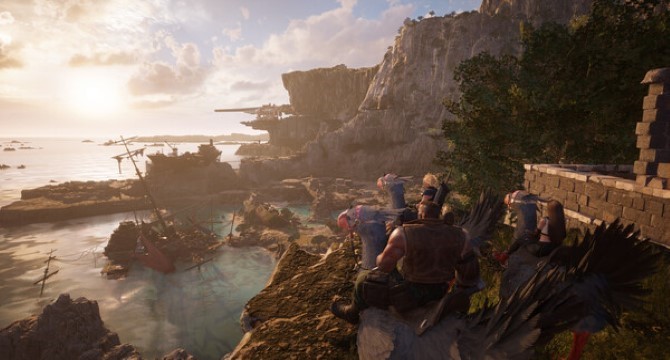
The lifestream is the essence of existence, with all life originating from the planet and ultimately returning to its nurturing embrace. However, the nefarious Shinra Electric Power Company siphons this essential life energy, recklessly utilizing it as a fuel source known as “mako.” Following a fierce battle, Ex-SOLDIER Cloud Strife and his allies—Tifa, Aerith, Barret, and Red XIII—manage to escape the mako-fueled city of Midgar, embarking on a grand adventure across the planet. Their journey includes riding Chocobos across expansive, uncharted plains and revisiting familiar locations in their pursuit of the fallen hero Sephiroth, culminating in their quest to reach “The Forgotten Capital,” a pivotal site from the original FINAL FANTASY VII.
Simultaneously, SOLDIER 1st Class Zack Fair struggles through the wastelands leading to Midgar, supporting his close friend who is suffering from severe mako poisoning. On the brink of life and death, he witnesses a foreboding rift spreading across the sky. The Shinra Resistance Committee, an emerging force led by the acting government of Wutai, declares war. Meanwhile, a group of enigmatic figures cloaked in dark robes transport the remains of Jenova, the “Calamity from the Sky,” to unknown destinations. As the planet faces an impending crisis, the ancient guardians known as Weapons begin to stir within the lifestream itself. Amidst all this, the schemes of Cloud’s arch-nemesis, Sephiroth, intertwine the fates of many, heralding the rebirth of destiny itself.

Final Fantasy VII Rebirth Minimum System Requirements
- OS: Windows 10 (64-bit)
- Processor: AMD Ryzen™ 5 1400 / Intel® Core™ i3-8100
- Memory: 16 GB RAM
- Graphics: AMD Radeon™ RX 6600 (RX 6600 or above required) / Intel® Arc™ A580 / NVIDIA® GeForce® RTX 2060 (RTX series required)
- DirectX: Version 12
- Storage: 155 GB available space
Final Fantasy VII Rebirth Recommended System Requirements
- OS: Windows 10 (64-bit)
- Processor: AMD Ryzen™ 5 5600 or Ryzen™ 7 3700X / Intel® Core™ i7-8700 or Core™ i5-10600
- Memory: 16 GB RAM
- Graphics: AMD Radeon™ RX 6700 XT / NVIDIA® GeForce® RTX 2070
- DirectX: Version 12
- Storage: 155 GB available space
Final Fantasy VII Rebirth PC Requirements – CPU, GPU, RAM and Storage (Minimum and Recommended):

Final Fantasy VII Rebirth System requirements
AMD Ryzen 5 1400
AMD Radeon RX 6600 XT
AMD Radeon RX 6700 XT
Can You Run It
Check instantly if your PC can run Final Fantasy VII Rebirth requirements with free, easy-to-use detection tools or enter your system specifications manually. Click the Orange button below to start with the requirements test.

Can Your PC Run This Game Smoothly?
This game requires a balanced PC setup to run smoothly. If your system only meets the minimum requirements, you may experience lower frame rates and need to reduce graphics settings.
For the best performance, a modern graphics card, sufficient RAM, and a strong processor are recommended. More demanding games with open-world environments or advanced effects can put additional strain on your hardware.
Want to know if your PC can run this game? Use our PC System Requirements Checker to instantly compare your CPU, GPU, RAM, and storage with the official game requirements.
Performance Tips for Better FPS
To improve performance, lowering graphics settings such as shadows, textures, and anti-aliasing can significantly increase FPS. Closing background applications can also help free up system resources.
Upgrading your GPU or adding more RAM will provide the biggest performance boost, especially for newer PC games.
Final Fantasy VII Rebirth Steam
Final Fantasy VII Rebirth Steam Page: https://store.steampowered.com/app/2909400/FINAL_FANTASY_VII_REBIRTH/
Final Fantasy VII Rebirth Details
Final Fantasy VII Rebirth PC Specs
To ensure the best performance when running the game on PC, always install the latest video card drivers for your system. Visit our Driver Updates section for step-by-step help with NVIDIA and AMD graphics cards. Before playing, compare your PC specs with the minimum and recommended requirements shown above. Meeting the minimum requirements ensures the game runs properly, while stronger hardware allows higher graphics settings, smoother FPS, and better overall performance. Use the “Can You Run It” tool to instantly check if your PC can run it and see what upgrades may improve performance.
Gameplay Screenshot