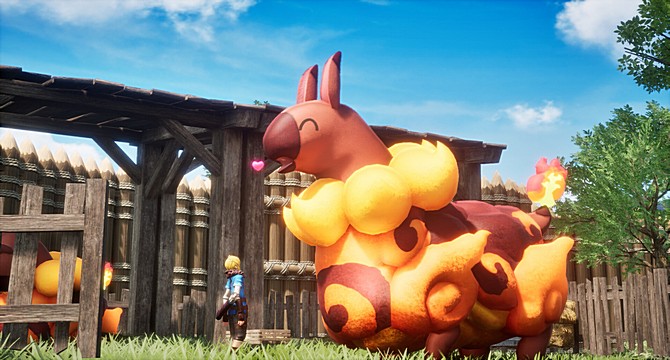
Check the official minimum and recommended system requirements for Pickmon below. Find out more about the PC hardware required to run the game, including the recommended processor, graphics card, RAM and storage.
Can I Run Pickmon
Venture into a vast, unexplored continent teeming with the remnants of ancient civilizations and strange creatures known as Pickmon. In this multiplayer open-world survival crafting game, you’ll form bonds with these unique companions and rely on them as you fight, gather resources, and shape the world around you.
Survival is only the beginning. Work alongside your Pickmon to harvest materials, cultivate land, and construct everything from simple shelters to sprawling industrial operations. As your base grows, so does your influence, allowing you to automate production, expand your infrastructure, and build a thriving empire in the wild.
Exploration plays a key role in your journey. Discover hidden ruins, uncover long-lost technologies, and encounter a wide variety of Pickmon, each with their own abilities and roles in combat, farming, and production. Choosing the right companions and managing them effectively is essential to your success.
But the continent is not yours alone. A mysterious organization lurks in the shadows, pursuing its own agenda tied to the secrets of this land. As you progress, you’ll clash with its forces, uncover its motives, and decide how to respond to the growing threat.
Play solo or team up with others in multiplayer to build, explore, and survive together. Whether you focus on combat, crafting, or large-scale industry, every choice shapes your path in a world full of danger, opportunity, and discovery.

Pickmon Minimum System Requirements
- OS: Windows 10 (64-bit)
- Processor: i5-3570K 3.4 GHz 4 Core
- Memory: 16 GB RAM
- Graphics: GeForce GTX 1050 (2GB)
- DirectX: Version 11
- Storage: 40 GB available space
Pickmon Recommended System Requirements
- OS: Windows 10 (64-bit)
- Processor: i9-9900K/10900K 3.6 GHz 8 Core
- Memory: 32 GB RAM
- Graphics: GeForce RTX 2070
- DirectX: Version 12
- Storage: 40 GB available space
Pickmon PC Requirements – CPU, GPU, RAM and Storage (Minimum and Recommended):

Pickmon System requirements
AMD FX-8310
AMD Ryzen 7 3800XT
AMD Radeon RX 560
AMD Radeon RX 6700 XT
Can You Run It
Check instantly if your PC can run Pickmon requirements with free, easy-to-use detection tools or enter your system specifications manually. Click the Orange button below to start with the requirements test.

Can Your PC Run This Game Smoothly?
This game requires a balanced PC setup to run smoothly. If your system only meets the minimum requirements, you may experience lower frame rates and need to reduce graphics settings.
For the best performance, a modern graphics card, sufficient RAM, and a strong processor are recommended. More demanding games with open-world environments or advanced effects can put additional strain on your hardware.
Want to know if your PC can run this game? Use our PC System Requirements Checker to instantly compare your CPU, GPU, RAM, and storage with the official game requirements.
Performance Tips for Better FPS
To improve performance, lowering graphics settings such as shadows, textures, and anti-aliasing can significantly increase FPS. Closing background applications can also help free up system resources.
Upgrading your GPU or adding more RAM will provide the biggest performance boost, especially for newer PC games.
Pickmon Steam
Pickmon Steam Page: https://store.steampowered.com/app/4358270/Pickmon/
Pickmon PC Specs
To ensure the best performance when running the game on PC, always install the latest video card drivers for your system. Visit our Driver Updates section for step-by-step help with NVIDIA and AMD graphics cards. Before playing, compare your PC specs with the minimum and recommended requirements shown above. Meeting the minimum requirements ensures the game runs properly, while stronger hardware allows higher graphics settings, smoother FPS, and better overall performance. Use the “Can You Run It” tool to instantly check if your PC can run it and see what upgrades may improve performance.
Pickmon Details
Gameplay Screenshot